
New users – Account setup
If you are a new user, please follow this guide to properly setup your account for your first login.
How to change your IIT account password
IIT Windows PC - with IIT email address login
logged onto a domain computer (i.e. using your IIT credentials: email and password), hit Ctrl+Alt+Del then choose "Change Password". First enter your previous password, then insert and confirm a new password.
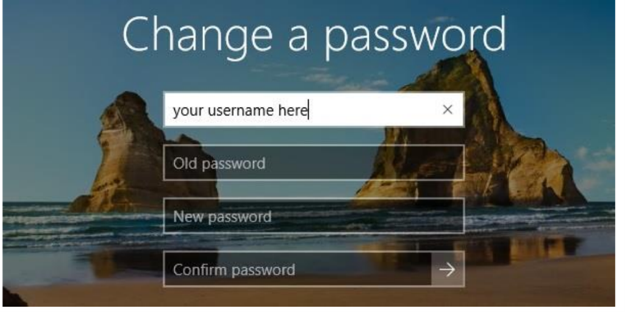
be sure to use VPN if you are working outside IIT offices.
IIT MacOS - with IIT email password login (click to expand)
To modify password using keychain please make sure to be connected to the IIT network (i.e. within the IIT offices or abroad via VPN) and press the Key icon > Change password (Cambia password)
Enter your old password (top field) and then enter a new one (middle field, then re-type it in the bottom field).
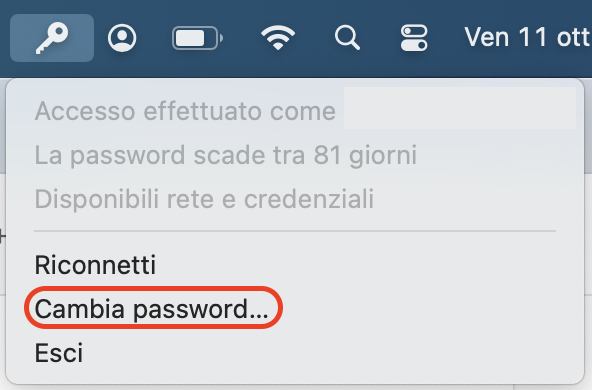
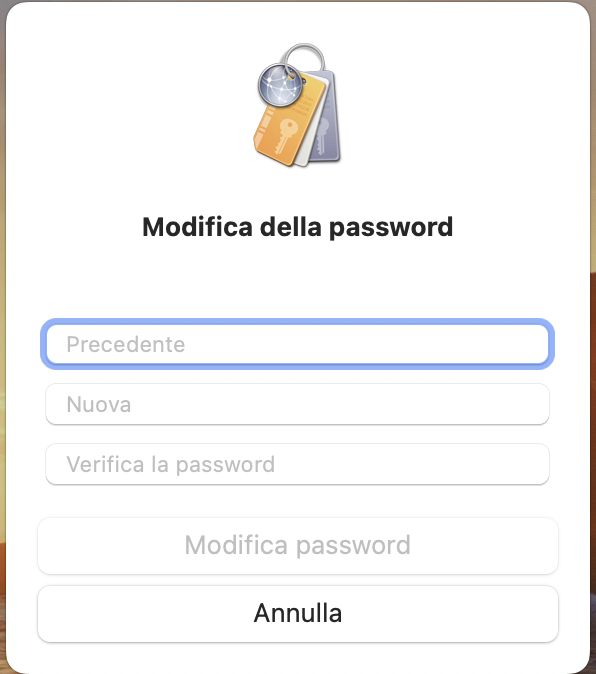
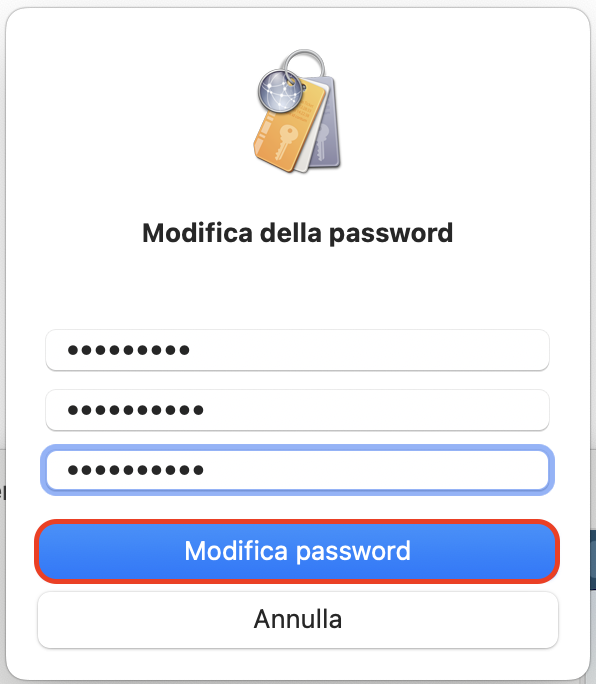
be sure to use VPN if you are working outside IIT offices.
All Other situations (mobile, Linux PC, etc.) (click to expand)
- Please register to SSPR Service (just once)
- Visit this page to reset your password from any device.
- A verification code will be sent to the mobile phone number or alternate e-mail address provided during the registration process.
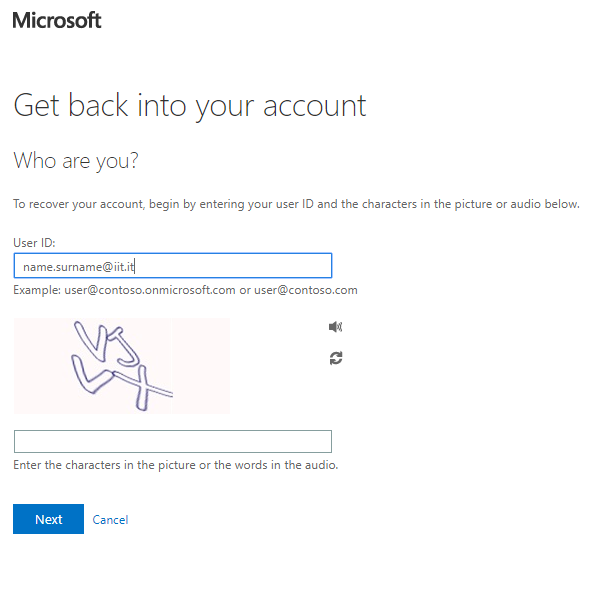
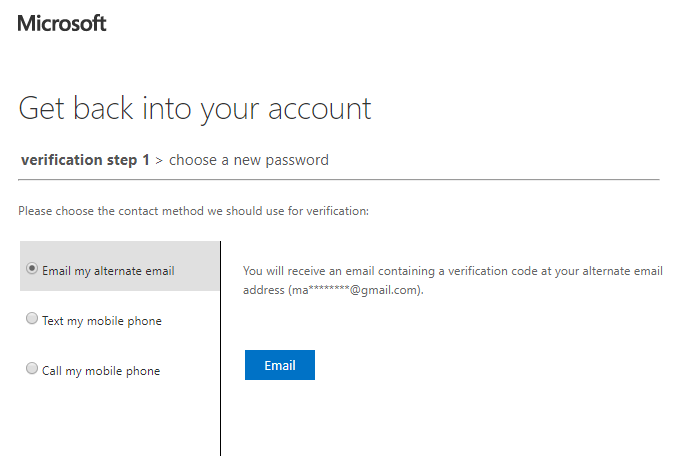
Expired or lost password?
- Please register to SSPR Service (just once)
- Visit this page to reset your password from any device.
- A verification code will be sent to the mobile phone number or alternate e-mail address provided during the registration process.
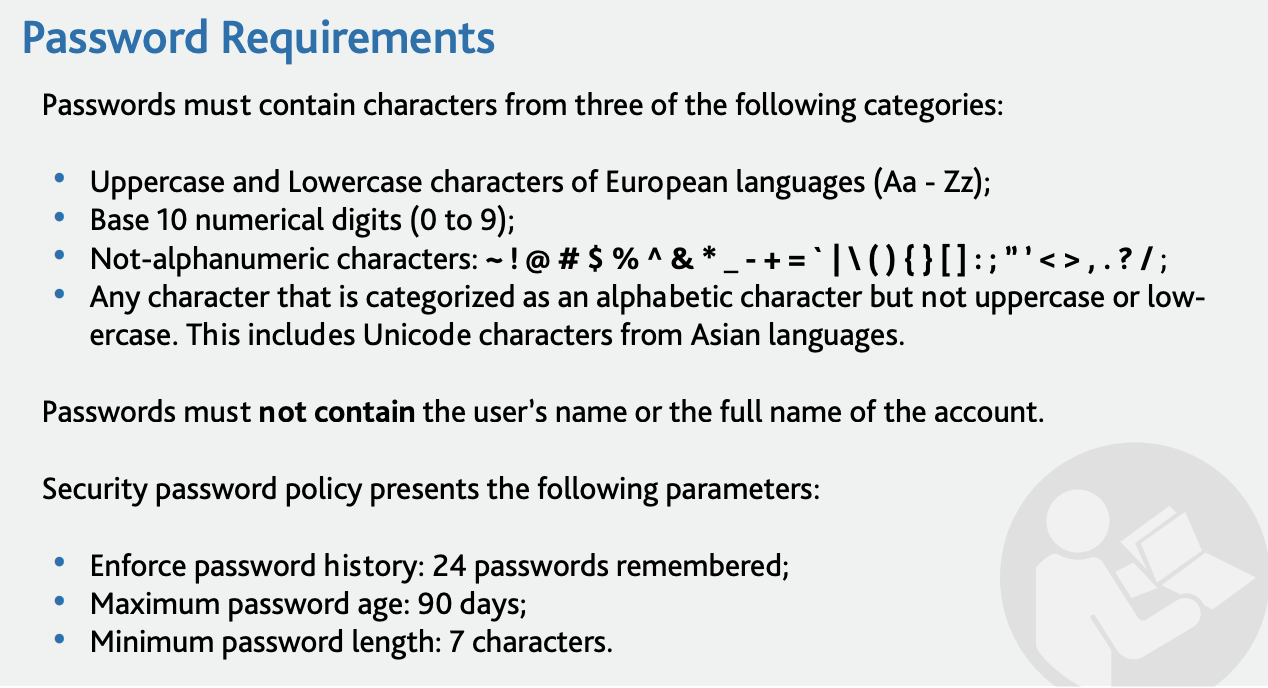
Password Requirements
Should you need support please don't hesitate to contact us:
- Customer Portal ICT
- Email ict_servicedesk@iit.it
- Emergency phone line +39 010 2896 555